
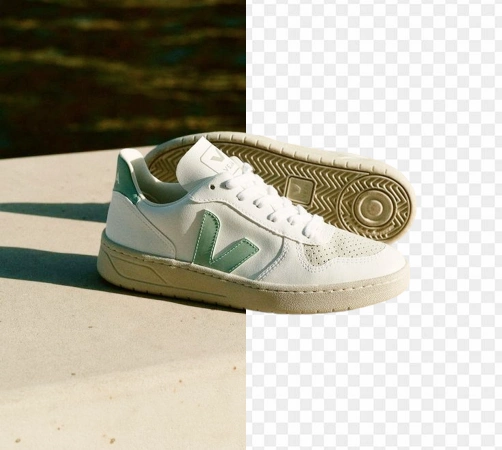

"Create transparent PNG product images faster so listings, marketplaces, and storefront assets look cleaner without manual cutout work."
E-commerce seller
Marketplace workflow
Use Magic Eraser's AI background remover to separate subjects from busy backgrounds in seconds. Create transparent PNG images for product photos, portraits, logos, profile pictures, and social media content.
Create cleaner product images for Amazon, Shopify, marketplaces, and ads without spending time on manual cutouts. Upload your photo, let AI detect the subject, and get a transparent or studio-ready result in seconds.
Start your free trial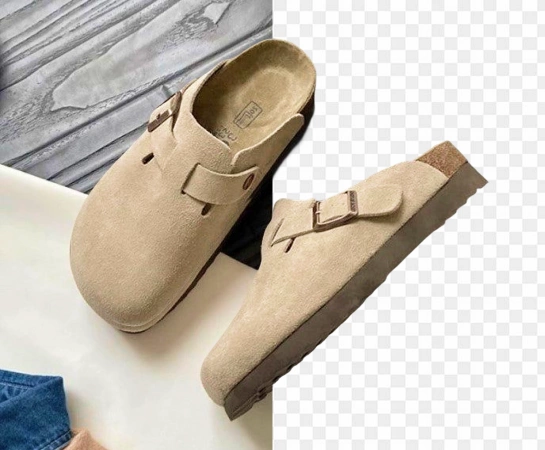
Manual background removal is slow, expensive, and difficult to scale consistently across a growing catalog. With an AI background remover, merchants, creators, and in-house design teams can prepare cleaner product images faster and launch new assets without bottlenecks.
Start your free trial
From e-commerce product photos and portraits to logos, profile pictures, and social media creatives, remove backgrounds and isolate subjects for transparent PNG exports, catalog layouts, ad creatives, and brand-ready visuals.
Start your free trial
Background removal is often just the first step. Once the cutout is ready, you can replace the scene, improve image quality, expand the canvas, or adapt the asset for marketplaces, ads, and social content. This makes it easier to produce consistent, studio-style visuals across your entire catalog.
Start your free trial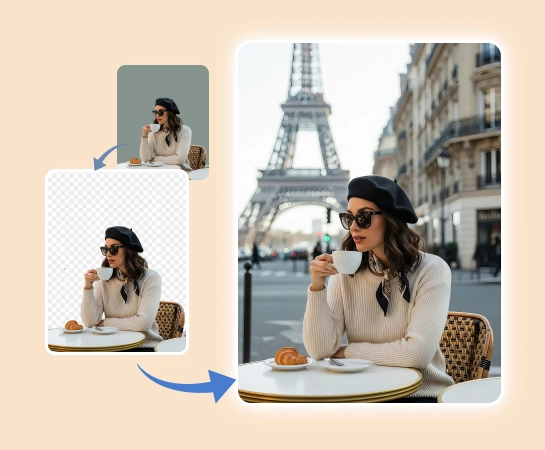
Choose the product photo, portrait, logo, or image you want to cut out. Upload a PNG or JPG file to the editor.
Magic Eraser detects the main subject and removes the background for you, giving you a cleaner cutout without manual tracing.
Use quick edit controls to fine-tune edges, fix small misses, and make the final cutout look sharper and more natural.
Export your background-free image for listings, ads, catalogs, and social media, or continue with new backgrounds and extra edits.
Explore the main editing capabilities currently available in Magic Eraser Web, from cleanup and enhancement to generation and design.

Separate the subject from the background and create a cleaner, ready-to-use cutout.

Improve image quality, detail, and overall clarity with fast AI enhancement tools.

Clean up leftover props, text, or distractions after the background has been removed.

Extend image edges and create more room for new layouts or wider compositions.

Add text and build lightweight design layouts directly on top of your images.

Generate fresh visuals from prompts to create new image directions with AI.

Apply AI-powered style and look transformations to refresh the mood of your image.

Replace selected areas and rebuild missing parts with a more natural visual result.
These examples reflect common ways sellers, creators, and marketers use a background remover to produce cleaner visual assets faster.
"Create transparent PNG product images faster so listings, marketplaces, and storefront assets look cleaner without manual cutout work."
"Remove busy backgrounds from portraits and profile photos to create cleaner headshots for CVs, creator profiles, and social media."
"Standardize catalog visuals across hundreds of SKUs by removing inconsistent backgrounds and rebuilding a cleaner product-image system."
"Cut out products quickly, place them into campaign scenes, and adapt the final visuals for ads, landing pages, and promotional graphics."
Upload an image, let Magic Eraser detect the subject, and the app removes the background automatically. You can then export the cutout as a transparent PNG or keep editing.
Yes. The remove background workflow is designed for product photos, logos, portraits, profile pictures, and other images where you need a clean subject cutout on a transparent background.
Yes. After automatic background removal, you can refine edges and make small corrections so hair, clothing, and object outlines look cleaner.
Yes. Once the background is removed, you can continue editing with replacement backgrounds, AI enhancement, expansion, and other tools inside Magic Eraser Web.
The core flow is simple: upload your image, remove the background automatically, refine the cutout if needed, and export the final asset for your website, marketplace, ad, or social post.